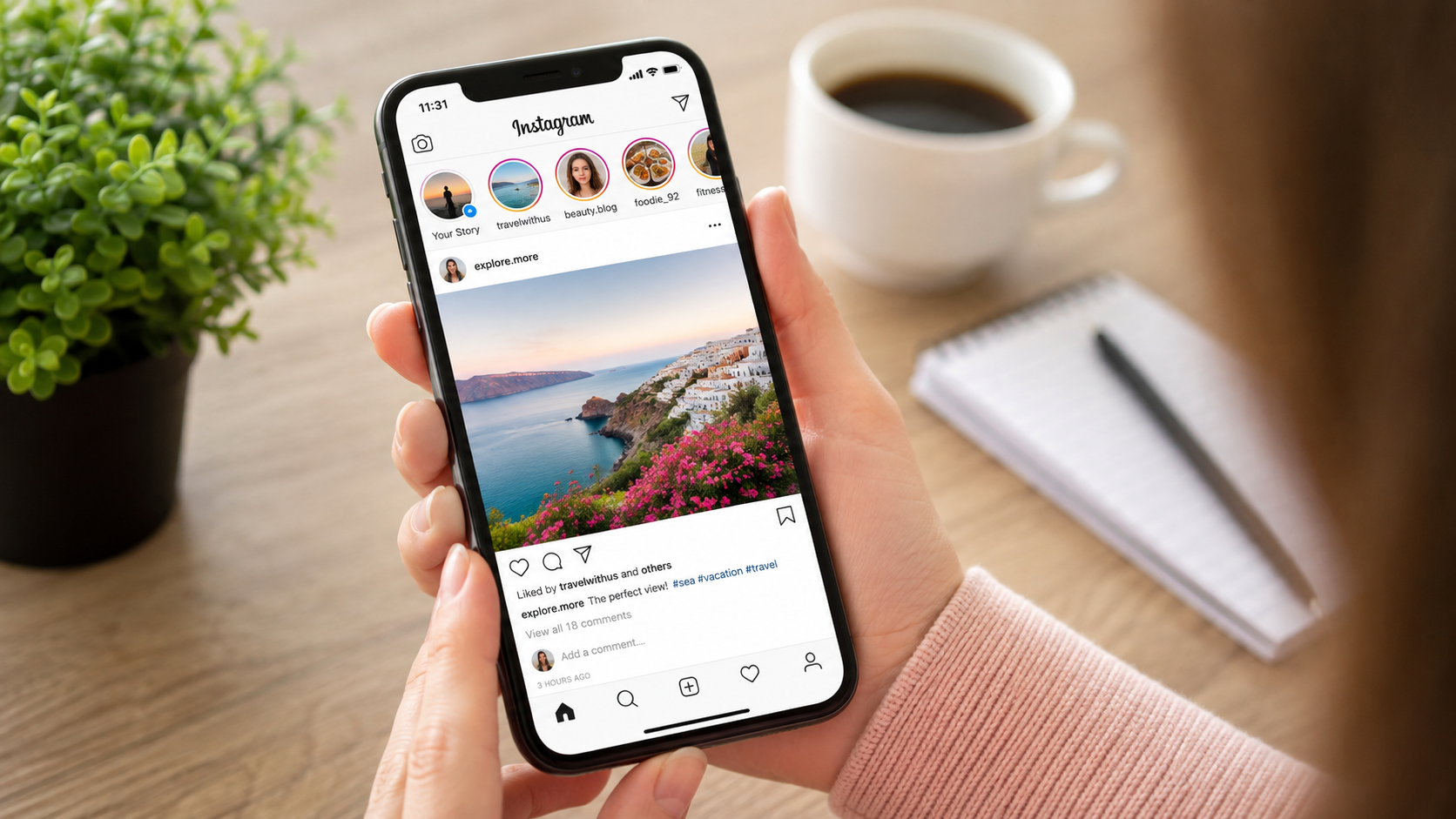
Instagram is one of the most used social media applications for sending photos, videos, Stories, Reels, and messages. It can be used to keep in touch with friends, learn about new content, follow creators, market a business, or simply browse issues you like. If you are not familiar with Instagram, you may find it easier and more fun to use if you familiarize yourself with the basics.
This step-by-step guide will take you through the steps of using Instagram from account creation to profile setup, posting content, connecting with others, and managing your privacy.
How to Make an Instagram Account?
One of the initial steps to learning how to use Instagram is creating an account. Instagram is available on the web or mobile app. On Instagram, click on Create an Account and fill out the details.
Typically, you need to have an email address or phone number, as well as a username and password. The name people will be able to use to find your profile is your username, so using a name that is easy to recognize may be beneficial.
Once the account is created, you can upload a profile picture, name, biography, and other details. Finally, you can also connect with people you already know and let Instagram suggest accounts based on your contacts.
How to Set up Your Instagram Profile?
Your Instagram profile acts as you on Instagram. A well-structured profile will help users to better understand your content and who you are.
You can upload a photo and a brief biography about yourself, your interests, or your business. If you are using Instagram in your professional life, you can add details of your professional work.
It is also possible to set up a public or private account. A public account will be open to everyone to see, which will give less privacy; a private account will provide you with more privacy.
How to Locate and Follow People on Instagram?
There are a number of ways to find accounts on Instagram. The search function can be used to search for individuals, creators, brands, topics, or other types of content.
If you come across an account that you enjoy, you can choose to follow the account. After adding an account, you can see its content in your Instagram experience.
Instagram also suggests accounts that you may want to follow based on your activity. The more you engage with some of these types of content, the more personalized your suggestions can become.
How to Make a Post on Instagram?
One of the primary features of Instagram is the ability to post photos and videos. To make a post, click on the “Create new content” option and choose a photo or video from the device. It’s also possible to shoot new content straight from the app.
Adjustments, editing tools (if available), and a caption can be made before publication. It is also possible to include location details if relevant or other options available.
A good caption can help to explain what you are posting. Hashtags can also be used to classify posts and to make them more noticeable, and can be used if appropriate.
What are Instagram Stories?
Instagram Stories are meant for short-lived articles that exist outside of regular posts. Photos, short videos, text, music, stickers, polls, and custom interactive features can be added to stories.
Stories can help communicate rapidly without listing all of the information on your primary profile. These can be used to post everyday activities, news, backstage footage, or just a quick message.
Stories are temporary, which means you might find them less formal than a typical Instagram post.
What are Instagram Reels and How do You use Them?
Reels are short-form videos that can be edited along with music, effects, text, and more. They are popular for entertainment and tutorials, educational videos, trends, and promotional videos.
To make a Reel, select or record videos and then edit them. You can add a caption and other related information before sharing it.
If you’re getting up to speed on Instagram for content creation, trying out Reels is a great way to familiarize yourself with how short-form video functions on Instagram.
How do you Like, Comment, and Share Content?
There are a number of ways to interact with content on Instagram. You can “like” a post, comment on the post, and share content through the sharing options provided.
Comments can be helpful when joining conversations and interacting with creators or other users. But communication should be done in a respectful way, and personal information should not be shared in the public domain.
Content can be saved for future reference, as well. Useful for the times you come across a recipe, tutorial, travel idea, educational information, or other content that you wish to revisit later.
What is the Method to Send Messages on Instagram?
Instagram has direct messaging capabilities that enable people to send messages to one another privately. Send text messages and share photos, videos, posts, and more (depending on features)
Take the time to learn the person’s privacy preferences and relationship to you before sending him or her a message. Sending non-requested messages and repetitive messages is not recommended.
Instagram also offers a way to manage message requests and who can message you.
What is your Instagram Business or Personal Branding Strategy?
Instagram can be helpful for businesses, freelancers, creators, and professionals. A professional profile can offer tools to help you comprehend your target market and control your visibility.
Product information, education, announcements, customer stories, and behind-the-scenes information can all be shared. Over time, this can help establish a loyal following as long as you post regularly and provide valuable content.
The profile should convey a clear message about what the account provides. High-quality images and informative captions will also help make the profile more useful to visitors.
How to Keep Your Privacy Safe on Instagram?
If you want to have more control over who will see your posts, then you should use a private account. It’s also a good idea to be wary of requests from strangers.
Do not post personal information that can be used to access your bank accounts, private contacts, home addresses, passwords, etc. Protective measures such as a unique password and available additional security features may help to protect your account.
What are the Common Instagram Issues and How to Avoid Them?
Spam, fake accounts, unwanted messages, or misleading content may be experienced by new users. When encountering links or information you don’t recognize, it’s crucial to exercise caution.
Instagram offers features to block, limit, or report accounts and content if you suspect it’s suspicious. Using these features can help create a safer experience.
Be wary of messages that say you’ve won a prize or that your account will be cancelled if you don’t enter personal information. If you are unsure, check it out, and don’t act on it instantly.
What are some things you can do to Improve Your Instagram?
The simplest method to get used to Instagram is to explore its features systematically. First, follow accounts that are interesting, engage with posts, Stories, Reels, and messages, and understand how they work.
When creating content, try different formats and see what kind of posts get helpful engagement. However, don’t let numbers like likes and followers be the only basis of success.
The key is to use Instagram in a manner that aligns with your own objectives. Whether you are looking for entertainment, communication, education, or professional development, knowing the primary tools in the platform can help you gain more value from it.
What is the Conclusion Regarding the Use of Instagram?
There is no need to get overly lost in the details of Instagram. If you know how to use profiles, posts, Stories, Reels, messaging, following accounts, and privacy settings, then you can use the platform with confidence.
Instagram has several features, so don’t learn them all at once. Try using tools that you need most first and then work up to using new features. With responsible interaction and the correct use of privacy controls, you can enjoy and use Instagram more.